Python Formatter: Not enough arguments for format string

Example code:

                
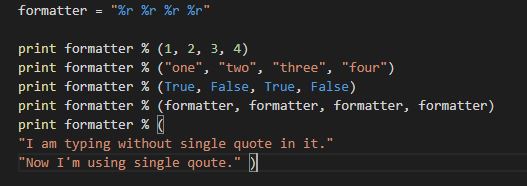
formatter = "%r %r %r %r"
            
print formatter % (1, 2, 3, 4)
print formatter % ("one", "two", "three", "four")
print formatter % (True, False, True, False)
print formatter % (formatter, formatter, formatter, formatter)
print formatter % (
"I am typing without single quote in it."
"Now I'm using single qoute." )


Error output:

                
Traceback (most recent call last):
File "8-more_printing.py", line 8, in <module>
"I am typing without single quote in it."
TypeError: not enough arguments for format string


In above example in last line, there are only 2 values given whereas for "formatter" variable there are 4 values must be define. Hence, if we run above program then we get error as displayed above.

To resolve it, we have to define 4 values, like

                
print formatter % (
"I am typing without single quote in it.",
"Now I'm using single qoute.",
"since there are four percentage r in formatter variable",
"we have to add four lines only")


Comments

Popular posts from this blog

Install AWS CLI on Ubuntu localhost using Ansible Playbook

Install AWS CLI on Ubuntu localhost using Ansible Playbook --- - hosts: localhost tasks: - name: Installing Unzip package package: name: unzip state: present when: ansible_facts['os_family'] == "Debian" become: true - name: Create awscli directory in home directory file: path: ~/awscli state: directory mode: '0755' - name: Download bundled installer zip file get_url: url: https://s3.amazonaws.com/aws-cli/awscli-bundle.zip dest: ~/awscli/awscli-bundle.zip - name: Extract zip file unarchive: src: ~/awscli/awscli-bundle.zip dest: ~/awscli - name: Run install command shell: /home/ubuntu/awscli/awscli-bundle/install -i /usr/local/aws -b /usr/local/bin/aws become: true Same script is also avail...

How to clone Github repository using SSH

Run ssh-keygen Upload ssh public key to github account curl -u "gitUsername:password" --data '{"title":"keyName","key":"'"$(cat ~/.ssh/id_rsa.pub)"'"}' https://api.github.com/user/keys Sample output of ssh public key upload command { "id": 1234567890, "key": "ssh-rsa aaaaaaaaaaaaaaaaaaaa/dddd/+aaaaaaaaaaaaaaaaaaaaaaaaaaaaaaaaaaaaaaaaaaaaaaaaaaaaaaaaaaaaaaaaaaaaaaaaaaaaaaaaaaaaaaaaaaaaaaaaaaaaaaaaaaaaaaaaaaaaaaaaaaaaaaaaaaaaaaaaaaaaaaaaaaaaaaaaaaaaaaaaaaaaaaaaaaaaaaaaaaaaaaaaaaaaaaaaaaaaaaaaaaaaaaaaaaaaaaaaaaaaaaaaaaaaaaaaaaaaaaaaaaaaaaaaaaaaaaaaaaa", "url": "https://api.github.com/user/keys/123456...

Docker Networks

Docker Networks One of the reasons Docker containers and services are so powerful is that you can connect them together, or connect them to non-Docker workloads. Docker’s networking subsystem is pluggable, using drivers. Several drivers exist by default, and provide core networking functionality: Bridge: The default network driver. If you don’t specify a driver, this is the type of network you are creating. Bridge networks are usually used when your applications run in standalone containers that need to communicate. Host: For standalone containers, remove network isolation between the container and the Docker host, and use the host’s networking directly. host is only available for swarm services on Docker 17.06 and higher. See use the host network. Overlay: Overlay networks connect multiple Docker...